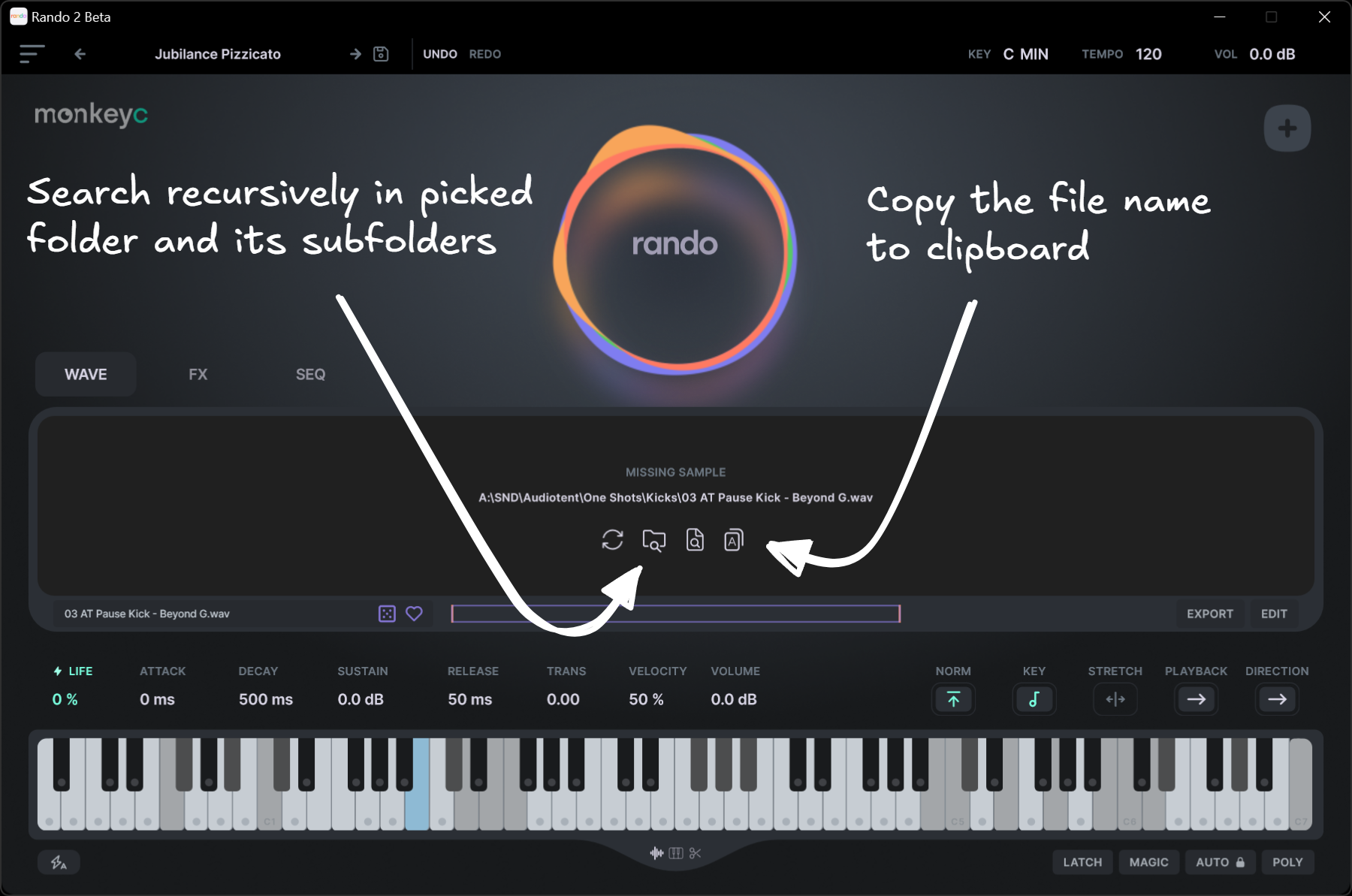
When reorganizing my sample library via the system file explorer, Rando loses track of samples used in saved presets. Re-linking them is slow and painful, since missing samples have to be resolved one by one.
Proposed improvements
Recursive root-folder scan
Add a button that lets the user select a root folder. Rando would scan it recursively (including subfolders), match missing samples by filename, and automatically resolve them.Copy missing sample name
Add a button to copy the missing sample’s filename to the clipboard. This would make it faster to locate the file via the system file explorer and either:identify the correct root folder for a recursive scan, or
re-link the file manually using the existing workflow.
This would significantly reduce friction when managing large or frequently reorganized sample libraries and make preset recovery much faster.
Let me know if you liked the icons in the concept pic - would be happy send them over 🙂