Sequencer: Bar Length Control Slider
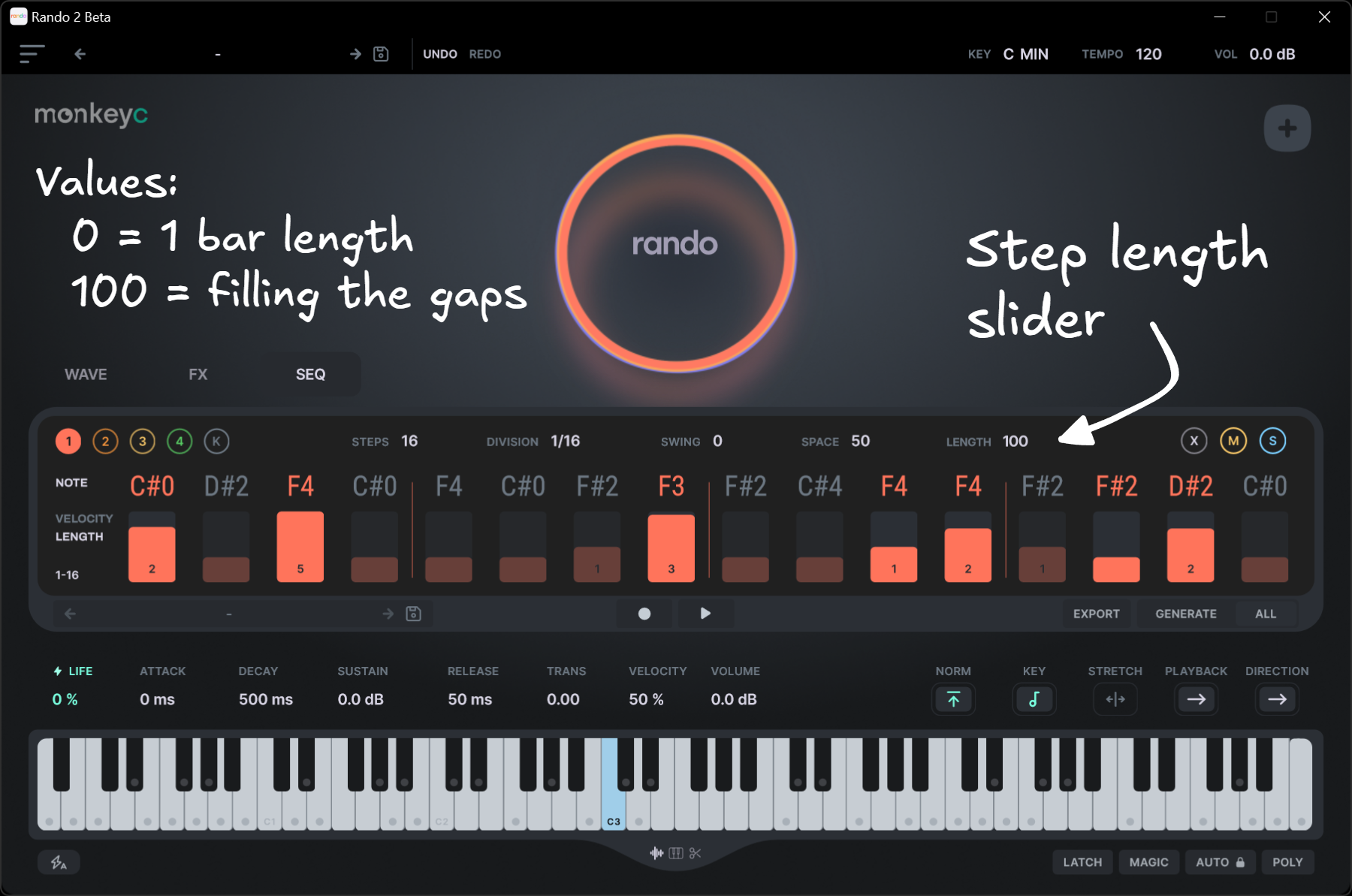
When increasing the SPACE value in the sequencer, the result sometimes feels choppy or abrupt because empty gaps are introduced between bars. While this can be adjusted manually by changing bar lengths, it’s time-consuming and unintuitive.
Proposed feature:
Bar Length Control Slider
Add an Auto Bar Length slider with a range from 0–100:
0 → Default behavior (1 bar length)
100 → Automatically extend bar lengths to fill any empty slots that follow them
Intermediate values would proportionally smooth gaps by increasing bar lengths
This would allow to quickly dial in more flow and smoothness when using higher SPACE values, reducing choppiness without manual tweaking and making the sequencer feel more musical by letting samples to play longer and evolve.
Log in to comment and vote
Comments6
Dennis De Laat
Jan 21
Do you mean to sustain the notes?
Den Unison
Jan 21
Yes, exactly. The idea is to control note sustain (length) until the next step in the sequence is triggered, so notes can sustain longer and carry through empty steps. This is technically possible to do manually (as shown in the video), but it’s time-consuming. It would be great to have a global control for this. From my experiments, this approach results in smoother, more musical sequencer output in many cases 🙂
Dennis De Laat
Jan 21
easiest way for now is to click latch, but that will impact all samples, or you extend the release. Will see what we can come up with ;)
Den Unison
Jan 21
Just checked, and I can confirm this is solved by extending the sustain for all notes using the new ‘Super Mode’. Feel free to mark this thread as completed, as this is exactly what I was requesting. Thanks for the elegant solution! 🙂
Dennis De Laat
Jan 21
awesome!
Den Unison
Jan 18